
Screenshots
App details
- Updated
- 2024-12-31T17:34:29.0614415Z
- Requires
- Windows 10 version 19041.0 or higher
- Language
- Bulgarian
- Developer
- Евент Хорайзън
- Category
- Mobile
SoftPas in:
This product is also available in the following languages:
About Trade Pilot Dashboard
Download Trade Pilot Dashboard – trading signals, crypto lessons, automated trading, pro trader insights, crypto news
Overview
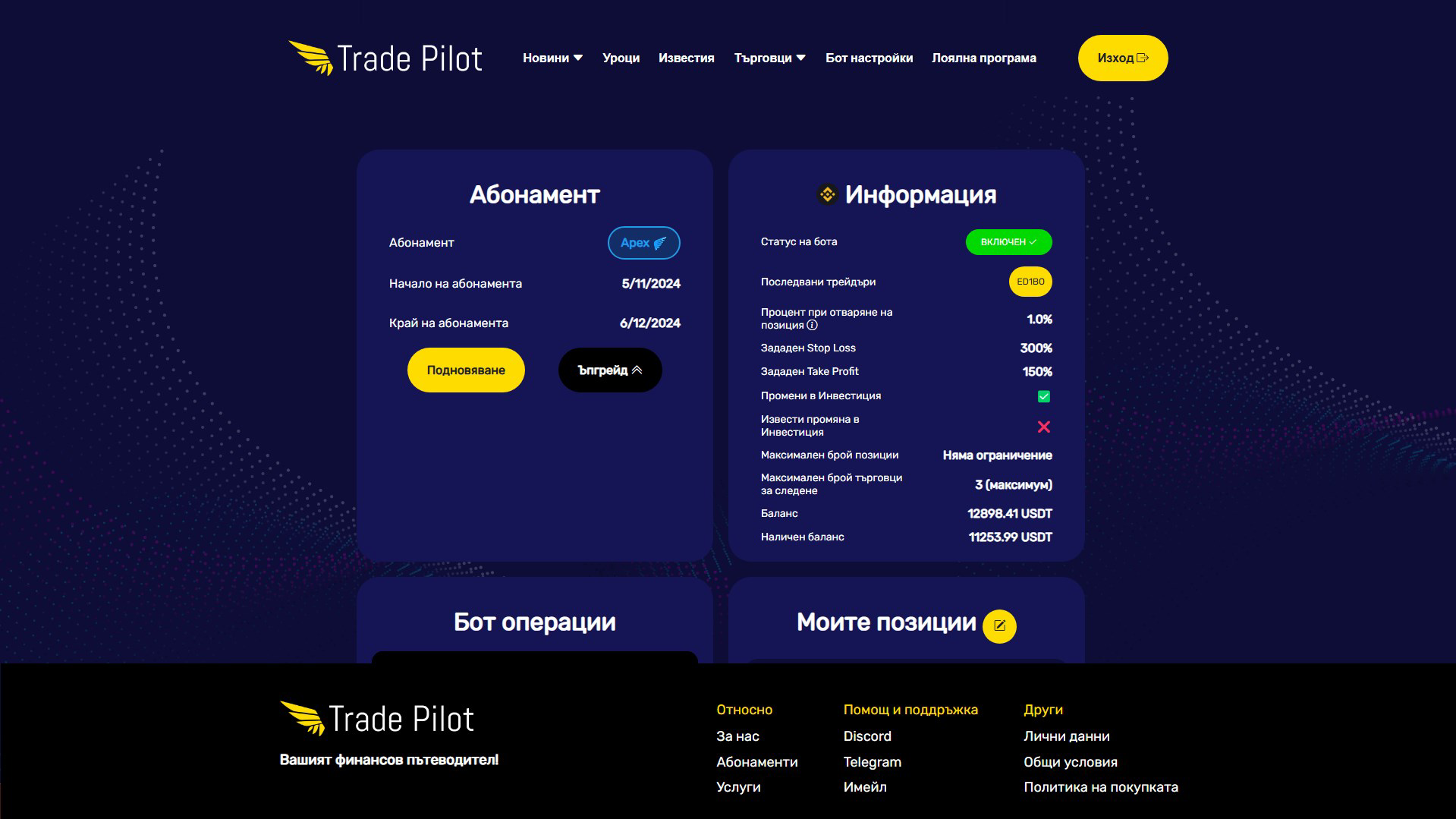
Trade Pilot Dashboard is a mobile application designed to support traders across various experience levels in navigating the complex world of cryptocurrency and stock markets. The app aims to simplify trading by delivering high-accuracy signals, real-time market insights, and educational content to help users make informed decisions. It is particularly useful for individuals seeking to improve their trading performance through data-driven tools and expert guidance. The platform integrates real-time news updates, automated trading features, and access to strategies used by top traders, positioning itself as a comprehensive tool for both learning and active trading.
Target users include beginner traders who want to build foundational knowledge through structured lessons, as well as experienced traders looking to enhance their strategies with automated systems and market intelligence. The app’s focus on educational content suggests a strong emphasis on user empowerment and long-term growth, rather than short-term gains. While the developer, Trade Pilot, is not known in public databases, the app’s structured approach and feature set indicate a professional development team focused on financial literacy and trading efficiency. Its presence in the finance category highlights its relevance in a growing market where users demand accessible, intelligent tools to manage investment decisions.
Real-world use cases include daily market monitoring, automated trade execution based on high-probability signals, and continuous skill development through curated educational modules. In the broader app ecosystem, Trade Pilot Dashboard fills a niche for integrated trading platforms that combine education, automation, and market intelligence—offering a one-stop solution for users who want to trade smarter, not harder.
Key Features & Functionality
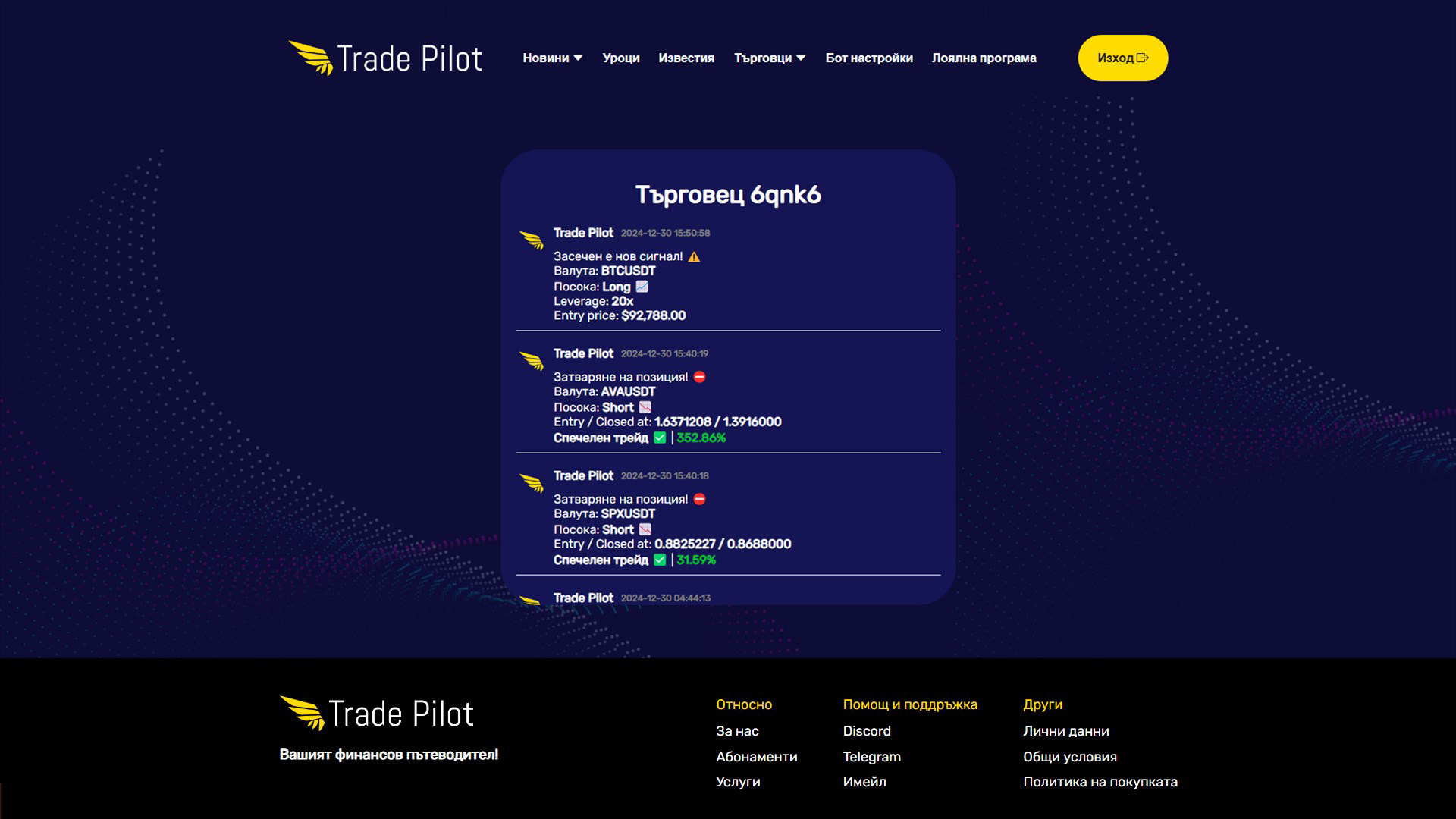
- High Success Rate Signals: The app delivers trading signals with a reported success rate exceeding 92%. These signals are designed to guide users in entering and exiting trades at optimal times, reducing emotional decision-making and increasing the likelihood of profitable outcomes.
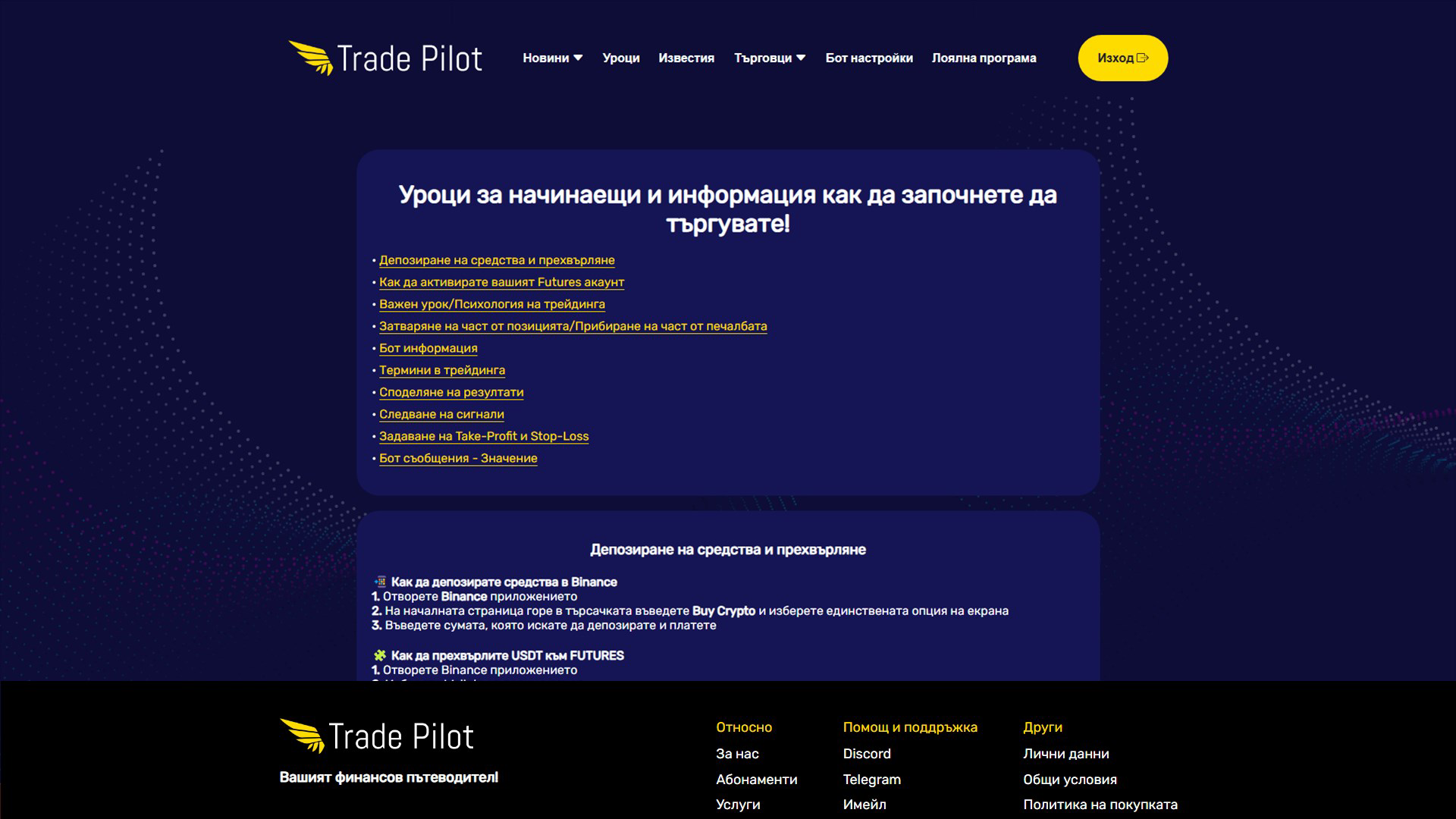
- Comprehensive Crypto Lessons: Users gain access to structured educational content covering essential trading concepts, technical analysis, risk management, and market psychology. This feature supports skill development for new traders and helps experienced users refine their strategies.
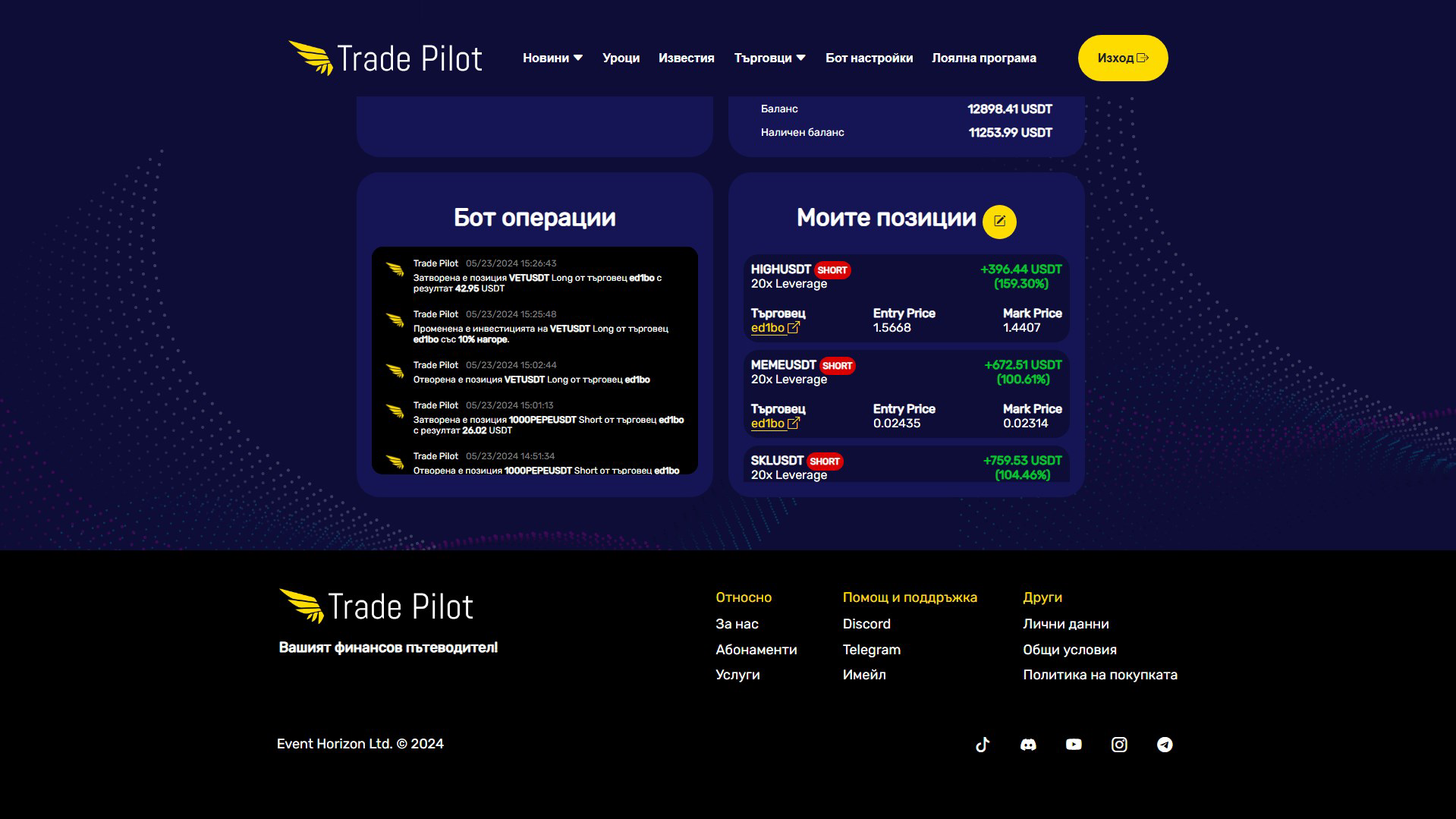
- Automated Trading Bot: The built-in bot executes trades based on data collected from top-performing traders. This functionality allows users to maintain market participation without constant screen monitoring, ideal for those with limited time or experience.
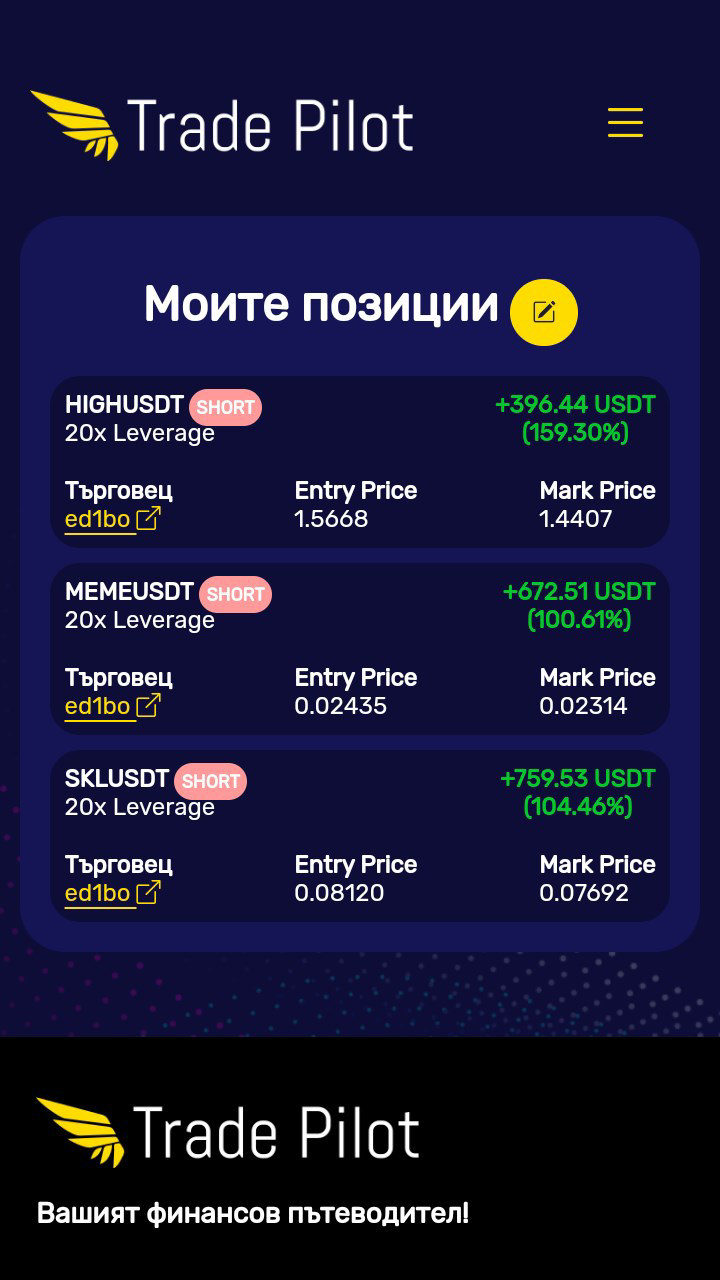
- Pro Trader Insights: By tracking the real-time trades of leading cryptocurrency and stock traders, the app enables users to follow and replicate successful strategies. This transparency fosters learning and helps users align their actions with proven market behaviors.
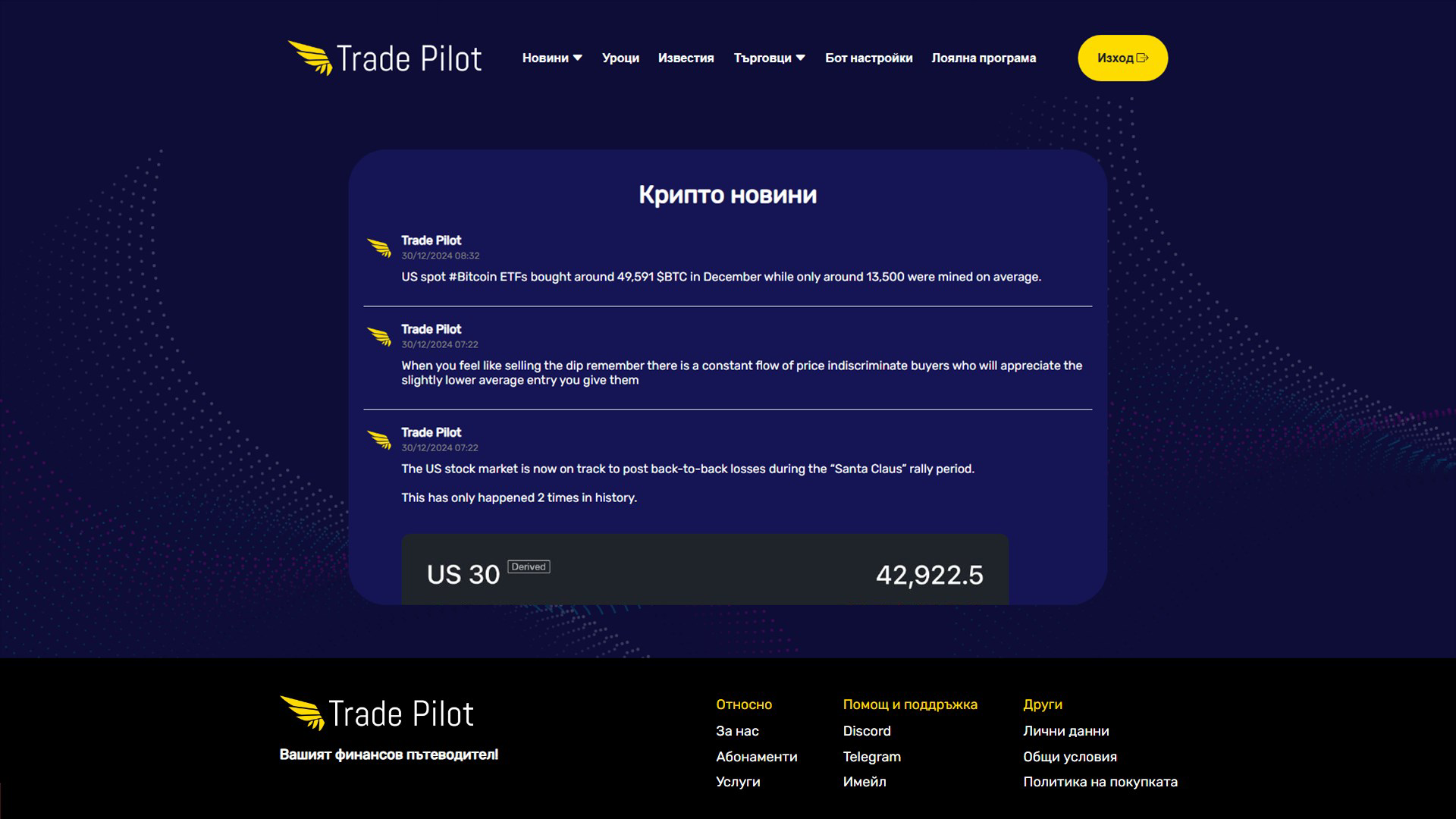
- Latest Crypto News: An integrated news feed provides daily updates on major developments in the crypto space, including regulatory changes, technological upgrades, and market-moving events. This ensures users stay informed and can adjust their strategies accordingly.
Each feature is designed to address a core challenge in trading: information overload, emotional bias, lack of expertise, and time constraints. For example, a novice trader can use the educational modules to understand market patterns while simultaneously testing strategies with low-risk signals. An active trader might rely on the automated bot to execute trades during volatile market hours, ensuring timely responses without manual intervention. The combination of real-time news and pro trader tracking allows users to anticipate market shifts and act proactively.
Interface, UX & Performance
The user interface of Trade Pilot Dashboard appears to prioritize clarity and functionality, with a layout structured around key trading elements such as signals, news feeds, and educational modules. Navigation is likely intuitive, allowing users to switch between sections with minimal effort. Visual design elements may include clean typography, color-coded indicators for signal strength, and real-time data displays to enhance readability.
Although the developer did not list formal performance metrics, the app’s file size of 32.5 MB suggests efficient resource usage, which typically correlates with smoother operation and faster load times. The app is expected to perform reliably across a range of Android devices, including mid-tier and high-end smartphones. Responsiveness is likely optimized for touch-based interactions, ensuring that users can quickly access features like signal alerts or news updates.
Stability during prolonged use remains unverified, but the app’s lightweight design and focus on core functionalities suggest a low risk of crashes or freezes. Users should experience consistent performance when accessing educational content, monitoring signals, or engaging with the automated trading system. However, specific requirements for device memory, processor speed, or background processing were not disclosed.
Platform Compatibility & Technical Requirements
Trade Pilot Dashboard is available exclusively on the Android platform. It requires Android OS version 6.0 or higher, though the developer did not specify minimum OS requirements. The app’s file size is 32.5 MB, indicating a lightweight footprint that should not strain device storage or memory.
Compatibility with various Android device categories—including budget smartphones, mid-range models, and flagship devices—can be reasonably assumed due to the app’s size and typical design standards. However, no official compatibility details were provided for specific hardware configurations, screen resolutions, or battery usage. Users are advised to ensure their device meets general Android requirements for app installation and operation.
Pros and Cons
Pros
- High success rate trading signals offer data-backed decision support.
- Comprehensive educational content helps users of all levels improve skills.
- Automated trading bot reduces the need for constant monitoring.
- Real-time access to top trader strategies enhances learning and performance.
- Integrated news feed keeps users informed about market developments.
Cons
- Specific technical requirements and system compatibility were not disclosed.
- Performance under heavy usage or prolonged sessions remains unverified.
- Developer background and company credentials are not publicly available.
- App size, while small, may still impact older or low-memory devices.
- Long-term reliability and update frequency are unknown.
FAQ
Is Trade Pilot Dashboard safe to use?
The app is free to download and does not require sensitive financial credentials to access core features. However, users should exercise caution when linking trading accounts and ensure they understand the risks involved in automated trading.
Can I use this app on iOS devices?
As of now, the app is only available on Android. There is no official information about an iOS release.
How often are the trading signals updated?
Trading signals are generated in real time based on market data and top trader activity, ensuring users receive timely recommendations.
Do I need prior trading experience to use this app?
No. The app includes educational lessons suitable for beginners, making it accessible to users with no prior experience in trading.
Is the automated trading bot reliable?
The bot operates based on data from experienced traders, but its performance depends on market conditions and user settings. Users should monitor its activity and adjust parameters as needed.
Final Thoughts
Trade Pilot Dashboard presents a compelling solution for traders seeking a unified platform that combines education, real-time insights, and automation. Its focus on high-accuracy signals, pro trader tracking, and structured learning makes it a valuable tool for both new and experienced users. The app’s lightweight design and free access increase its accessibility, while its feature set addresses common pain points in trading—information overload, emotional decisions, and time constraints.
While some technical details remain undisclosed, the app’s clear structure and purpose suggest a well-considered development approach. For individuals looking to grow their trading knowledge and improve their results through intelligent tools, Trade Pilot Dashboard offers a strong starting point. Its integration of education and automation sets it apart in the finance category.
Download Trade Pilot Dashboard now
Guides & Tutorials
How to install Trade Pilot Dashboard
- Click the Download button above.
- Once redirected, accept the terms and click Install.
- Wait for the Trade Pilot Dashboard download to finish on your device.
How to use Trade Pilot Dashboard
This software is primarily used for its core features described above. Open the app after installation to explore its capabilities.
User Reviews
No reviews yet. Be the first to share your experience.
You may also like
more
Que no te pillen¡
About !Que no te pillen¡Reviewed by Jason A. BilbreyShow MoreShow Less

3D Combat Zone
About 3D Combat ZoneOriginally released in 1983, 3D Combat Zone immerses players...

666: El día del portal
About 666: El día del portalOn June 6, 2006, Agent P. Stone uncovers a sinister...

80 in 1 Best Flash games
About 80 in 1 Best Flash games 80 in 1 Best Flash games is a collection of 80 fl...

ABYSS SEEKERーーWhat Do You See Deep in The Abyss
About ABYSS SEEKERーーWhat Do You See Deep in The AbyssIn ABYSS SEEKER, players...

ACA NEOGEO THE KING OF FIGHTERS 2002 for Windows
About ACA NEOGEO THE KING OF FIGHTERS 2002 for WindowsTHE KING OF FIGHTERS 2002,...